
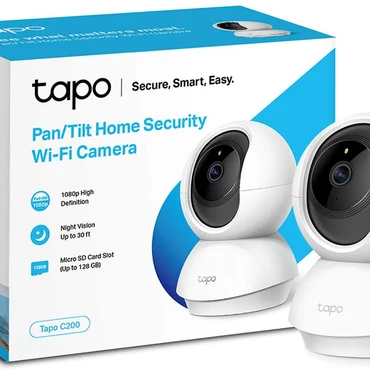
My Honest Tapo C210 Review After 3 Months of Daily Use
I’ve gone through my share of budget security cameras that turn out to be expensive paperweights unless you pay a monthly fee. For this Tapo C210 review, I wanted to see if TP-Link’s popular pan/tilt cam could actually be useful without a subscription. The short answer: yes, and it’s become my go-to indoor camera.
I bought my Tapo C210 for $29.99 on Amazon. At that price, I was expecting compromises, but I was wrong. It delivers where most cheap cameras don’t. No more Wyze for me!
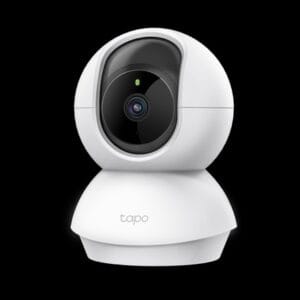
Why I Bought the Tapo C210
I needed an inexpensive camera for my living room that could do three things: let me check in from my phone for free, give me an RTSP feed for my local NVR, and work properly with Home Assistant. Most brands like Ring, Wyze, and Blink lock basic features like playback or even live viewing history behind a paywall. The Tapo C210 promised local storage and free features, so I gave it a shot.
Setup Was Surprisingly Easy
Unboxing is simple: camera, power adapter, mounting template, and screws. I downloaded the Tapo app, plugged the camera in, and it was discovered in under a minute. The app walks you through connecting to your 2.4GHz WiFi and updating firmware. I popped in a 128GB microSD card I had lying around for 24/7 local recording. No account tricks, no push to buy Tapo Care.
The build quality is solid for a plastic camera. The pan and tilt motor is quiet and smooth, and the base has a standard tripod thread if you want to mount it differently.
The Best Part: No Subscription Required for Real Features
This is where the Tapo C210 wins. Unlike several other brands of cameras I’ve owned, you can get a lot of mileage out of this cam without ever paying TP-Link a cent.
1. Free Live View From the Tapo Phone App
With other cameras, live view is free but everything else costs money. With the Tapo C210, live view, pan/tilt control, two-way audio, motion alerts, and playback from the SD card are all free in the Tapo app. I can scrub through last night’s footage, save clips to my phone, and talk to my dog, all without a subscription. The stream is fast and stable, even when I’m not on my home WiFi.
2. It Supports RTSP Feeds Natively
For me, RTSP support was non-negotiable. I don’t want my camera feeds locked in a proprietary cloud. The Tapo C210 supports RTSP and ONVIF right out of the box.
Once you enable it in Advanced Settings in the Tapo app, you get a URL that looks like this:
rtsp://username:password@YOUR_CAMERA_IP:554/stream1
I use that feed in Frigate for person detection and it has been rock solid for weeks. No disconnects, no weird authentication errors. This alone makes it more valuable than cameras twice its price.
Tapo C210 Home Assistant Integration Is Excellent
I was worried the integration would be a basic, community hack. It’s not. The official TP-Link Tapo integration in Home Assistant is solid and full featured.
I added it via HACS and it discovered my camera instantly. Here is what I get in Home Assistant that I did not get with my previous cameras:
- Full Pan/Tilt Control: I can control pan and tilt from my dashboard and set preset positions like “Front Door” or “Couch.”
- Privacy Mode: A single button entity that physically tilts the camera down into its privacy shell. My automations trigger it when we are home.
- Motion Detection as a Sensor: The camera’s motion, person detection, and baby crying detection show up as binary sensors. I use person detection to turn on lights.
- Image and Video Control: I can adjust brightness, night vision mode, flip the image, and restart the camera without opening the Tapo app.
I have an automation that moves the camera to my front door when my doorbell rings and then returns to privacy mode after 2 minutes. It just works. For any Tapo C210 review focused on smart homes, this integration is the killer feature.
Want to know more about Home Assistant and home automation? Click here.
Video Quality and Night Vision
For a 3MP (2304×1296) camera, daytime quality is excellent. You can clearly read text and make out faces. Colors are accurate and not over-saturated. Night vision is surprisingly good up to about 30 feet with its invisible IR LEDs. It doesn’t have that annoying red glow that scares pets.
Pros and Cons
Pros:
- Truly inexpensive – often under $35
- No subscription needed for live view, SD card playback, and alerts
- Excellent RTSP and ONVIF support for local NVRs
- Rock-solid, full-featured Home Assistant integration
- Quiet pan/tilt with presets and privacy mode
Cons:
- Only supports 2.4GHz WiFi (no 5GHz)
- Requires Tapo app for initial setup
- Motion tracking can be a bit jerky at times
Final Verdict: Is the Tapo C210 Worth It?
After three months, my Tapo C210 review conclusion is simple: If you want an inexpensive indoor camera that respects your wallet and your local network, buy this one. The fact that I get free live view from the Tapo phone app, a stable RTSP feed for my own recording, and a Home Assistant integration that actually feels official makes it a no-brainer.
It proves you don’t need to pay a monthly fee to get a capable security camera. I just bought a second one for my garage.
Frequently Asked Questions
Does the Tapo C210 require a subscription?
No. You get live view, SD card recording, motion alerts, pan/tilt, and RTSP feeds for free. Tapo Care is optional and only adds cloud storage.
Does Tapo C210 work with Home Assistant?
Yes, and very well. The official integration supports pan/tilt, presets, privacy mode, motion detection, and camera controls.
What is the RTSP URL for Tapo C210?
After creating a camera account in the Tapo app under Advanced Settings, your URL is rtsp://username:password@IP_ADDRESS:554/stream1 for HD and stream2 for SD.