
We were promised the death of the password more than ten years ago. First it was fingerprint readers, then face unlock, then passcodes and passkeys. Yet here we are today, and you still need a password to log into almost everything. So why passcodes never replaced passwords is a question worth asking – because the answer explains a lot about how the real internet works versus how Silicon Valley thinks it works.
If you are a home user who has never even seen the option for a passcode or passkey, you are not alone. You are actually the majority.
Wait: Do You Mean Passcode or Passkey? This Confusion Is Part of the Problem
Let us clear this up because the tech industry made it confusing on purpose.
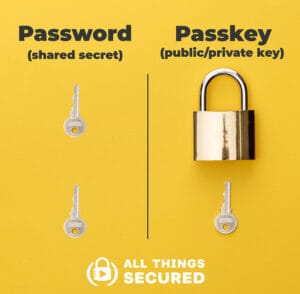
A Password is something you know and type – like MyDog2020! – that lives on a company’s server.
A Passcode is typically a short numeric PIN, like the 6-digit code you use to unlock your phone, or a one-time code from an authenticator app. It is device-specific and often local.
A Passkey is the new standard backed by Apple, Google, and Microsoft and the FIDO Alliance. It uses public-key cryptography. Your device holds a private key, the website holds a public key. You log in with Face ID, Touch ID, or your device PIN. Nothing to remember or type.
Most people use the words passcode and passkey interchangeably, and many websites call a passkey a passcode in their UI. When a home user sees Create a passcode or Use a passkey they have no mental model for what that means. Is it a password? Is it replacing my password? Where does it go? That terminology mess is reason number 1 why passcodes never replaced passwords.
Why Passcodes Never Replaced Passwords – 7 Real-World Reasons
1. The Big Tech Walled Garden Problem
Passkeys only work seamlessly if you live 100 percent inside one ecosystem. An Apple passkey created on your Mac syncs beautifully via iCloud Keychain – until you try to log in on your Windows work PC or your kids Android tablet. Then it becomes a QR-code-scanning, Bluetooth-requiring nightmare. Google does the same with Chrome and Android. For average families with a mixed household of iPhone, Android, Windows laptop, and an old iPad, the promise of no passwords breaks immediately. Passwords, for all their flaws, work everywhere.
2. The Recovery Nightmare Scares Everyone
Ask yourself: What happens if you lose your phone? With a password, you click Forgot Password and reset via email. With a passkey or passcode system, if you lose the device that holds your private keys and you did not set up cross-device sync correctly, you are locked out. For good. Websites know this, so even when they offer passkeys, they keep passwords as a fallback. And if the fallback exists, no one fully switches. IT departments and banks are terrified of account recovery calls.
3. Websites Were Incredibly Slow to Adopt It
To replace passwords, every website has to rewrite its login system to support the WebAuthn standard. That costs money and developer time. As of 2026, less than 5 percent of the top 10,000 websites support passkeys as a primary login. Amazon, banks, local government sites, your ISP, your WordPress hosting – they still demand passwords. Users cannot adopt something that is not offered. This is the biggest practical reason why passcodes have been so poorly adopted on the internet in general.
4. Shared Computers and Family Accounts Broke the Model
Passkeys were designed for one person, one secure device. That is not how home users live. A family PC in the living room is shared by 3 or more people. A husband and wife share a Costco login. A mom logs into her kids school portal. How do you share a passkey that is cryptographically tied to your face? You cannot, at least not easily. Passwords are easy to share – you just tell someone the text. Until passkey sharing is as easy as sharing a password, families will not use it.
5. No One Explained the Benefit to Home Users
Security people love to talk about phishing resistance and public-key cryptography. Home users do not care. They care about Will this make my life easier? For them, a password manager with autofill is already easy enough. A passkey popup that says Allow Chrome to use your screen lock? feels scarier and more confusing, not easier. There was never a clear Whats in it for me marketing campaign. Google and Apple buried it in settings menus.
6. The Mental Model Is Backwards
For 30 years we taught people: A secure account equals a strong, secret password you memorize. Now we are saying: Do not memorize anything, just use your face. That is a complete mental reversal. Many users, especially older adults, do not trust it. They think, If I do not have a password, how do I prove it is me? The lack of trust is why many home users do not even know what a passcode is – they actively avoided learning it.
7. Passwords Are the Ultimate Compatibility Layer
Passwords work on a smart fridge, a 2008 Dell laptop, a library computer, a PlayStation, and a brand new iPhone. They do not need Bluetooth, biometrics, or a modern browser. For the internet to truly drop passwords, the lowest common denominator has to be supported. That will take another decade.

Why Most Home Users Have Never Heard of a Passcode
If you do tech support for family, you know this is true. My own inquiries to some non-technical users shows the same pattern:
- They think passcode is just the 4-digit PIN to unlock their phone, not a website login.
- They have never seen the passkey option because it is hidden under Other sign-in options.
- When they do see it, they think it is spam or a scam to access their face or fingerprint.
- They have never been forced to use one, so they never learned.
The internet still runs on passwords because passwords run on human habit. Until a user is forced to create a passkey and is prevented from falling back to a password, they will choose the password every single time. It is familiar.
For more on this, read my guide on what two-factor authentication actually does and does not protect you from.
Will Passwords Ever Actually Die?
Yes, but not the way we were promised. Passwords will not disappear with a big bang. They will fade slowly.
What needs to happen for passkeys to finally win is: 1) Every major browser must make passkeys the default, not an option, 2) Cross-platform sync has to be invisible (Apple passkeys working flawlessly on Windows), and 3) Recovery has to be as simple as Forgot Password without creating a massive security hole.
Until then, the best setup for home users in 2026 is a hybrid: Use a password manager to generate strong, unique passwords, and enable passkeys wherever they are offered – especially for your Google, Apple, and Microsoft accounts. That way you are ready for the future without getting locked out today.
So, why passcodes never replaced passwords is not a technical failure. It is a human failure. The tech works. People just were not ready, websites did not bother, and no one explained it in plain English.
FAQ
Is a passcode the same as a passkey?
No, but many sites use the terms interchangeably. A passcode is usually a short PIN or one-time code. A passkey is a newer, more secure cryptographic key pair that uses your biometrics to log in.
Should I stop using passwords and only use passcodes?
No. Keep using strong, unique passwords with a password manager, and add passkeys as a second, stronger option where available. Do not delete your passwords yet.
Why does my bank still not offer passkeys?
Banks are extremely conservative about login changes because of liability and support costs. Account recovery with passkeys is still a legal and customer service nightmare for them.
Personally, I hate passkeys and continue to use passwords instead in conjunction with my favorite password manager, BitWarden.