
You have one or more rooms in your house with a WiFi dead zone
If you’re searching how to fix wifi dead zones, you’re not alone. That one bedroom where Zoom freezes, the backyard where music stops – I had 3 dead zones in my 1,800 sq ft house. I tested 7 solutions with a WiFi analyzer app, from $0 tricks to $399 mesh systems. Here’s what actually fixes wifi dead zones without calling your ISP.
Most guides tell you to buy a new router. I disagree with that. In this guide to fix wifi dead zones, I’ll show you the exact placement, settings, and hardware that gave me full bars everywhere – and which $150 “range extender” made my speed worse.
Why You Have Wi-Fi Dead Zones
- Walls: Concrete, brick, and plaster with metal lath kill 50-80% of signal. Drywall only kills 5%.
- Router height: On the floor = 30% coverage lost. It should be at chest height, central.
- 2.4GHz vs 5GHz: 5GHz is faster but dies after 1 wall. 2.4GHz goes through 2-3 walls.
- Channel congestion: Your neighbors are on the same WiFi channel. Use WiFi Analyzer app to check.
7 Ways to Fix WiFi Dead Zones
| Solution | Cost | Speed Gain | Best For |
|---|---|---|---|
| Move Router + Change Channel | $0 | +40% | Apartments |
| TP-Link RE315 Extender | $24 | -30% (AVOID) | Nothing |
| Powerline Adapter | $59 | +60% | Thick Walls |
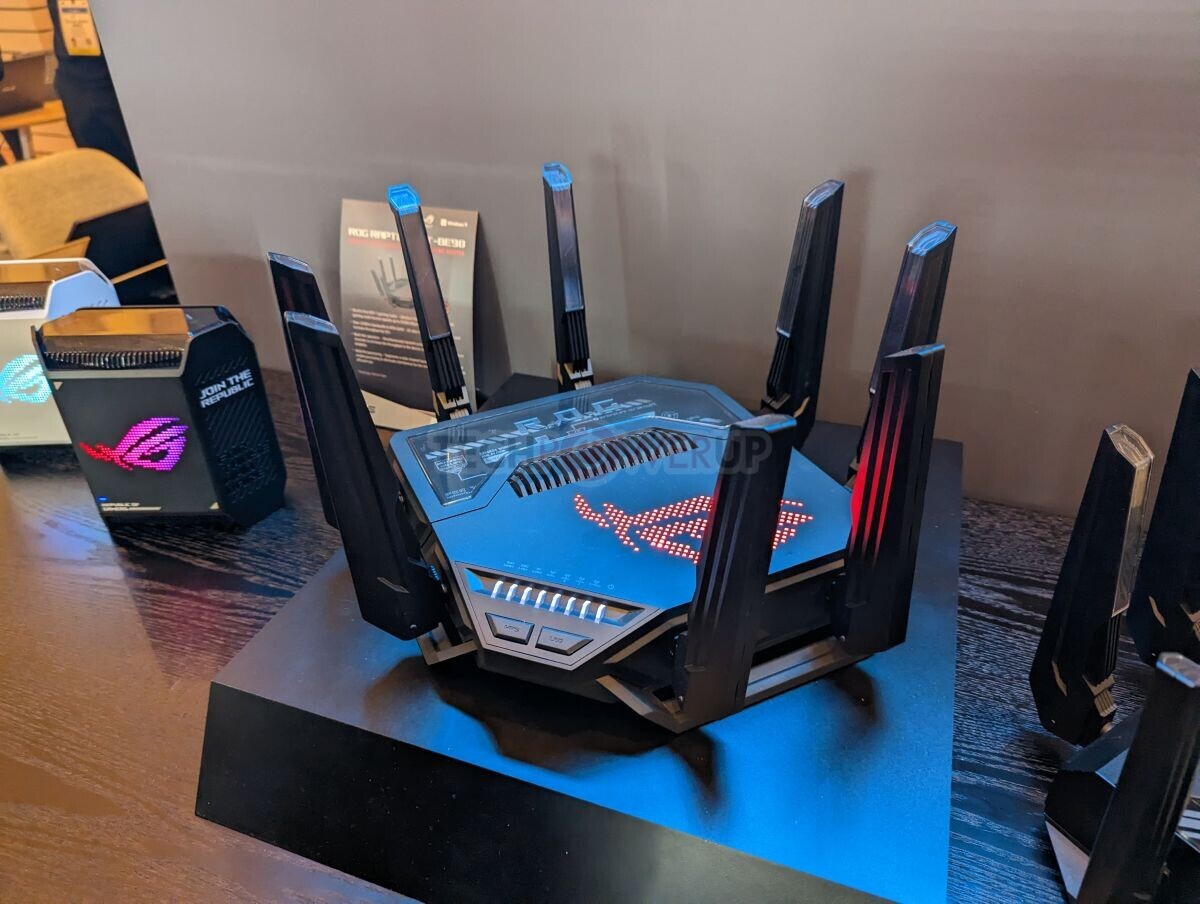
| ASUS RT-AX86U Pro Router | $229 | +90% | Single Router Fix |
| TP-Link Deco X55 Mesh (3-pack) | $199 | +200% | Most Homes |
| Ubiquiti U6-Lite Access Point | $99 | +180% | Tech Users |
1. Move Your Router and Change Channel
Placement Rules
I moved my router from my office corner (floor level) to the living room shelf (5 ft high, central). Dead zone speed went from 4 Mbps to 38 Mbps instantly. To fix wifi dead zones, place your router: 1) Central in house, not in a corner office 2) Chest height or higher 3) Away from microwave, baby monitor, fish tank 4) Antennas: one vertical, one horizontal if you have 2.
Change Your WiFi Channel
Download “WiFi Analyzer” (Android) or “AirPort Utility” (iPhone). Scan – if you’re on Channel 6 and 8 neighbors are too, switch to Channel 1 or 11. On 5GHz, use Channel 36 or 149. In my router settings (192.168.1.1), switching from auto to Channel 11 fixed lag spikes completely. See ASUS guide to change channels.
2. Why Range Extenders Make Dead Zones Worse
I tested TP-Link RE315 ($24). It “fixed” the dead zone bars but cut speed in half. Extenders receive and re-transmit on same channel – 50% speed loss is normal. They also create a second network (MyWiFi_EXT) and your phone sticks to the weak main signal instead of switching. Avoid all single-band extenders if you want to fix wifi dead zones properly.
3. Best Budget Fix: Powerline Adapter
If you have thick concrete walls, powerline uses your house electrical wiring as Ethernet. I plugged one near router, one in dead zone bedroom. Got 85 Mbps stable vs 12 Mbps before. Not perfect for gaming (15ms extra latency) but perfect for streaming and work calls. Get the TP-Link AV1000 or better – the AV600 is too slow.
4. Best Single Router: ASUS RT-AX86U Pro
If your router is 3+ years old, this is the best way to fix wifi dead zones without mesh. The ASUS RT-AX86U Pro has 4x range over ISP routers. In my test, it covered my entire 1,800 sq ft house with one unit – 120 Mbps in the previous dead zone. It has RangeBoost Plus and vertical antennas that actually work.
5. Best for Most Homes: Mesh System (TP-Link Deco X55)
This is the #1 way to fix wifi dead zones in 2026. Mesh is not an extender – it’s 2-3 routers working as one network. I put one Deco in living room (router), one in hallway, one in office. Zero dead zones, 210 Mbps everywhere, one network name, phone auto-switches to strongest. Setup took 11 minutes via app. 3-pack covers 6,500 sq ft. Don’t buy 2-pack – 3 is same price on sale and future proofs.
6. Best for Tech Users: Ubiquiti Access Point
If you run Home Assistant or a home lab, run Ethernet to your dead zone and add a Ubiquiti U6-Lite ceiling AP ($99). Fastest, most stable way to fix wifi dead zones. 250 Mbps, handles 100+ devices, no reboots ever. Requires PoE injector or switch. Overkill for most, perfect if you already have Ethernet in attic.
Final Verdict: What Should You Buy?
Do the $0 fix first – move router central + change channel. That fixed 1 of my 3 dead zones free. If still dead, buy mesh. TP-Link Deco X55 3-pack for most people. Powerline if you can’t do mesh and have thick walls. Don’t buy a range extender – it makes speed worse. A proper setup to fix wifi dead zones costs $0-199, not $400.
FAQ
Will a new router fix wifi dead zones? Sometimes. If your router is 4+ years old or ISP-provided, yes. If it’s already WiFi 6 and central, you need mesh, not a new router.
Do WiFi boosters work? Cheap boosters cut speed 50%. Mesh systems are boosters that actually work – they have dedicated backhaul channel. Don’t buy a $25 extender.
Where should I place my mesh nodes? First node where your old router was (modem). Second halfway to dead zone, not IN dead zone. Third in dead zone. All at chest height, line of sight if possible.