
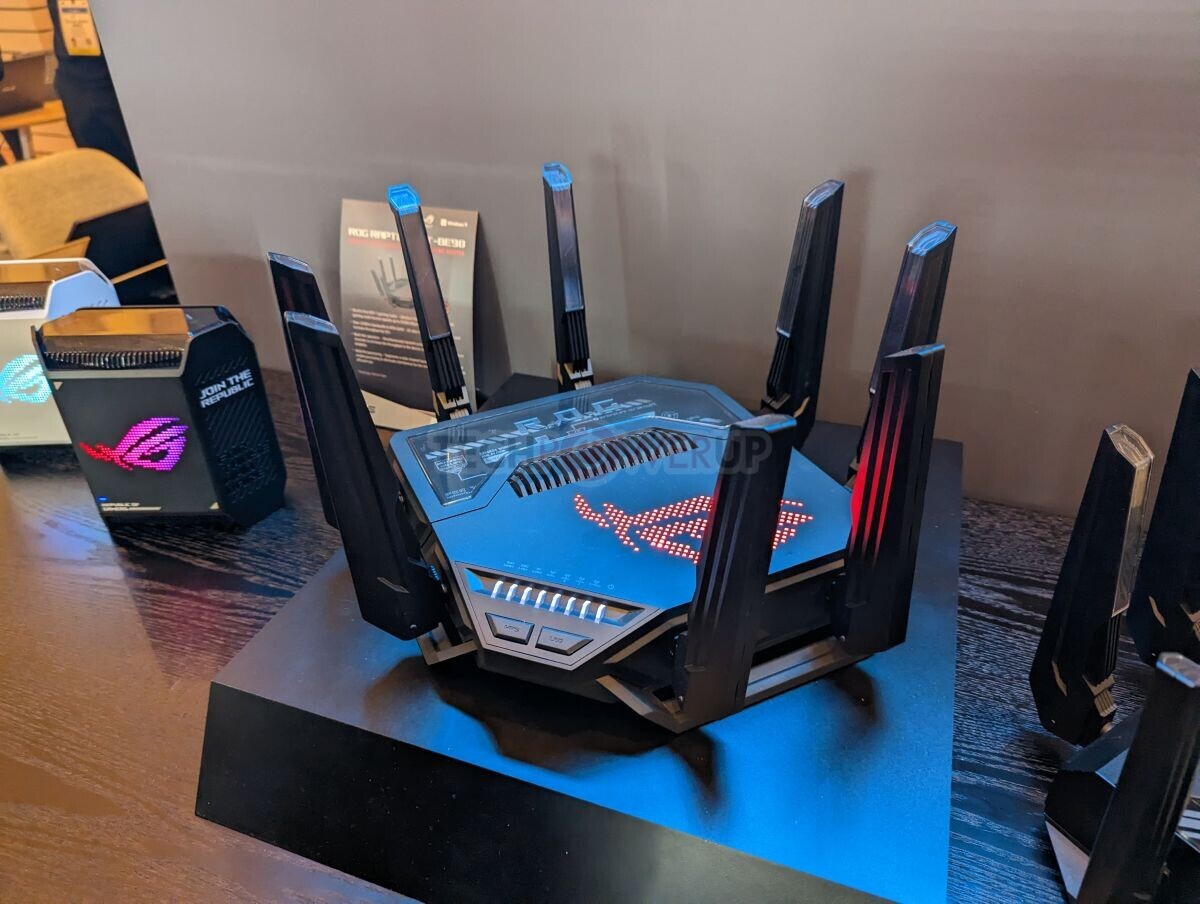
Your old Wi-Fi router is letting you down. If you’re wondering whether a Wi-Fi 7 router upgrade is worth it, you’re not alone. We are officially living in the era of Wi-Fi 7, and tech stores are packed with routers promising blistering speeds that make your current WPA2 router look like a dinosaur.

If you are rocking an older router that maxes out at WPA2 security, you might have a burning question: “I have a super complex password and my coverage is great. Am I still safe? And do I actually get anything out of a Wi-Fi 7 router upgrade?”
Let’s dive into the security reality of WPA2, see how we got to Wi-Fi 7, and figure out if a hardware upgrade is actually worth your cash.
The WPA2 Dilemma: Does a Complex Password Keep You Safe?
The Short Answer: Yes, your complex password keeps you safe from standard brute-force attacks. But no, it cannot protect you against modern, protocol-level security flaws inherent to WPA2.
Here is what is actually happening behind the scenes on an older WPA2 router:
- Your Password Limits Brute-Forcing: Because your password is complex, a hacker can’t easily use an automated tool to guess their way in. Your front door is technically locked.
- The Problem is the Protocol, Not Your Password: WPA2 is over two decades old. Security researchers have found fundamental flaws in how it talks to your devices. The most famous is KRACK (Key Reinstallation Attack). If a skilled attacker is physically near your house, they can manipulate the wireless handshake to intercept data—completely bypassing your strong password. You can read more about it in this official KRACK research paper.
- Your Secret Weapon (HTTPS): Thankfully, the modern web has a safety net. Because almost every website and banking portal uses HTTPS encryption, a hacker sniffing your Wi-Fi would still see scrambled, unreadable gibberish.
The Verdict: You don’t need to panic if your phones and laptops are modern and fully updated. However, older smart home tech that never gets firmware updates remains permanently vulnerable on WPA2 networks. This is a key reason to consider a Wi-Fi 7 router upgrade.
How Did We Get Here? The Wi-Fi Generational Timeline
To understand what makes a Wi-Fi 7 router upgrade such a massive leap, it helps to see how wireless tech evolved. The Wi-Fi Alliance retroactively numbered the confusing names like “802.11ac” into consumer-friendly generations:
- Wi-Fi 4 (802.11n | 2009) – Bands: 2.4 GHz & 5 GHz. Breakthrough: Multiple antennas (MIMO) for better streaming.
- Wi-Fi 5 (802.11ac | 2013) – Bands: 5 GHz Only. Breakthrough: Massive speed boost for the 5 GHz band.
- Wi-Fi 6 (802.11ax | 2019) – Bands: 2.4 GHz & 5 GHz. Breakthrough: Much more efficient with dozens of smart home devices.
- Wi-Fi 6E (802.11ax | 2021) – Bands: 2.4 GHz, 5 GHz, & 6 GHz. Breakthrough: Opened a brand-new, uncrowded 6 GHz highway.
- Wi-Fi 7 (802.11be | 2024+) – Bands: 2.4 GHz, 5 GHz, & 6 GHz. Breakthrough: Extremely High Throughput, raw speed, and zero lag.
What Does a Wi-Fi 7 Router Upgrade Offer (If You Already Have Good Coverage)?
In the past, people bought new routers to fix dead zones. But if your current router already covers your house, why care about a Wi-Fi 7 router upgrade?
Because Wi-Fi 7 changes the game for speed, congestion, and ironclad security. Here are the 4 major upgrades:
1. Mandatory WPA3 Security
Every Wi-Fi 7 router upgrade forces devices to use WPA3. It replaces the old hackable handshake with SAE (Simultaneous Authentication of Equals) which completely blocks offline dictionary attacks. Even better, it individually encrypts every device’s data stream.
2. Multi-Link Operation (MLO)
On your old router, your phone can only connect to one band at a time. If a microwave causes interference, your phone stutters while switching bands. Wi-Fi 7 lets devices connect to multiple bands at the exact same time. A laptop can download on 5 GHz and upload on 6 GHz simultaneously, dropping lag to virtually zero.
3. Ultrawide 320 MHz Channels
Think of frequencies as highway lanes. While older routers use 80 MHz lanes, Wi-Fi 7 opens massive 320 MHz lanes in the 6 GHz spectrum. It doubles the data pipe for 8K streaming, huge file transfers, and VR gaming.
4. Slicing Through Interference
On older routers, if a neighbor’s Wi-Fi overlaps with your channel, your whole channel slows down. Wi-Fi 7 uses Preamble Puncturing. It surgically slices out the sliver experiencing interference and uses the rest of the lane anyway—keeping speeds fast even in crowded apartments.
The Bottom Line: Should You Upgrade Today?
If your current router is working fine, your coverage is solid, and you aren’t running a home server or heavy VR gaming, there is no rush to buy a Wi-Fi 7 router immediately. Because the tech is still new, these routers command a premium price.
My recommendation? Keep a Wi-Fi 7 router upgrade on your radar. Your next phone or laptop will almost certainly support Wi-Fi 7. When your current router breaks down or struggles with device load, making the jump will boost security, eliminate congestion, and future-proof your home. For more tips on improving your network, check out our guide to how to secure your home network.
If you want to take the plunge now, ASUS and TP-Link are consistently the two most highly rated brands for Wi-Fi 7 router upgrades across major review outlets right now.